


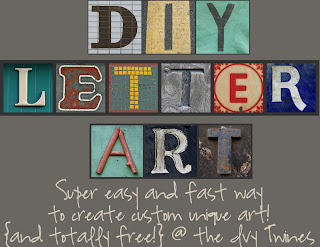
Happy Monday! Here's a short little tutorial for anyone wanting to create a little bit of personalized alphabet art on their own! It's super easy -- the hardest part is choosing which letters to use! :)
1. First, start over at Leo Reynold's flickr site, where you'll find all sorts of collections {letters, numbers, shapes, buildings, etc} and save those to your computer. This might take you the most time because there are just SO many!
{please note that these photos are for personal use only!}


3. Once you log in to Picnik, you can upload your letters, and then get to the add a collage page. Here you can adjust columns and rows, line spacing, background colors... everything!


Here are some examples of what I've made:


And check out what my sweet sister created? I love it!! {and am currently trying to copy it! :) :)}

Let me know what you're creating! I am having so much fun making these, I'd love to hear your ideas!
Wouldn't this look great in a Poppy Tree Frame? :)
